Own your music.
Paste a YouTube Music or Spotify playlist. Cadence saves the songs and plays them offline. No account.
- Playlists
- YouTube Music
- Spotify
- Own your music
- Offline
- Private library
- No account
- Free
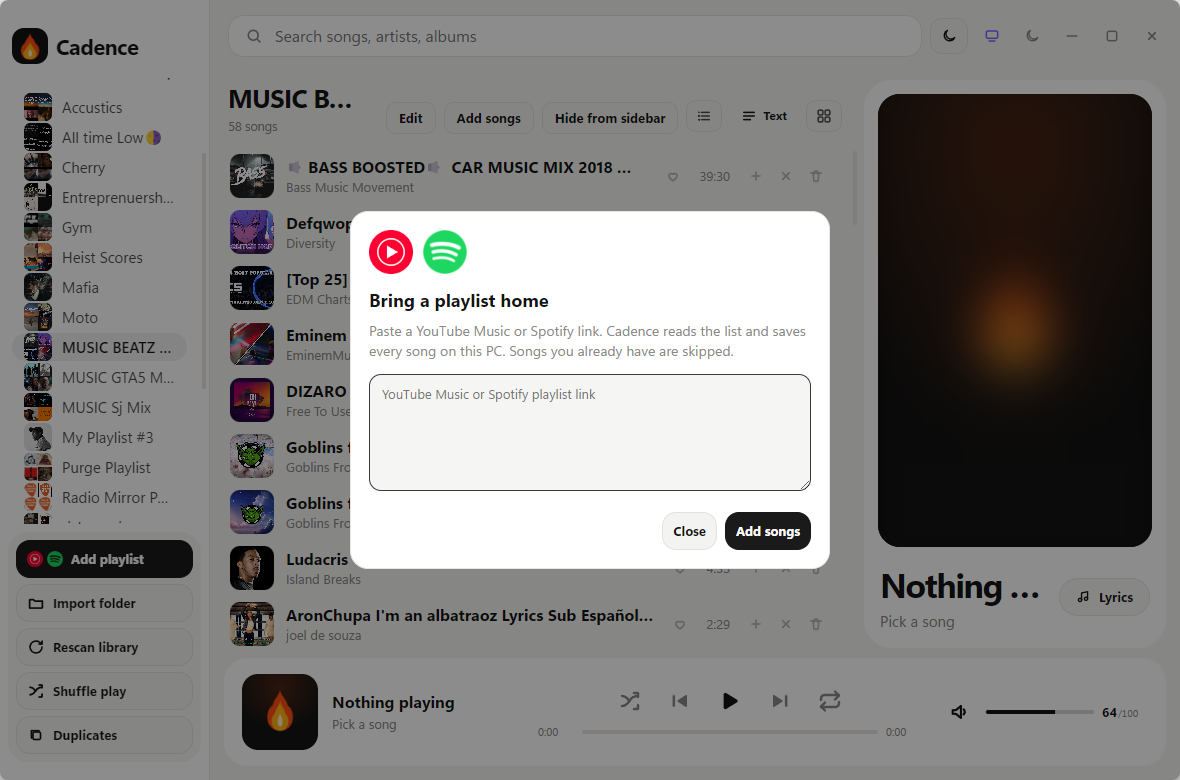
Import a playlist
- Paste a YouTube Music or Spotify link.
- Cadence reads the list and saves each song on this PC.
- Songs you already have are skipped.
- The files stay in your Music folder. No account.
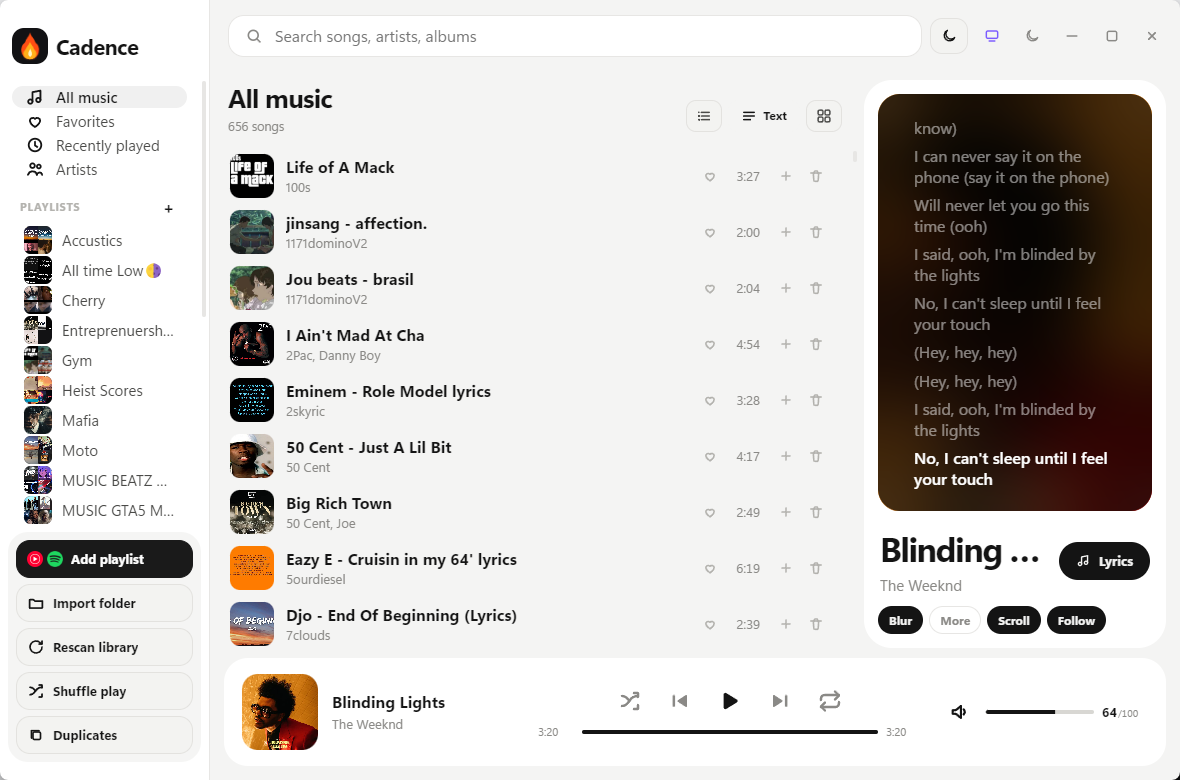
Lyrics on the player
- Open lyrics over the song that is playing.
- The line you are on stays bright.
- The same lyrics open from the dock.
- With nothing playing, the cover shows the flame.
What you get
A playlist in, your songs out, ready to play offline.
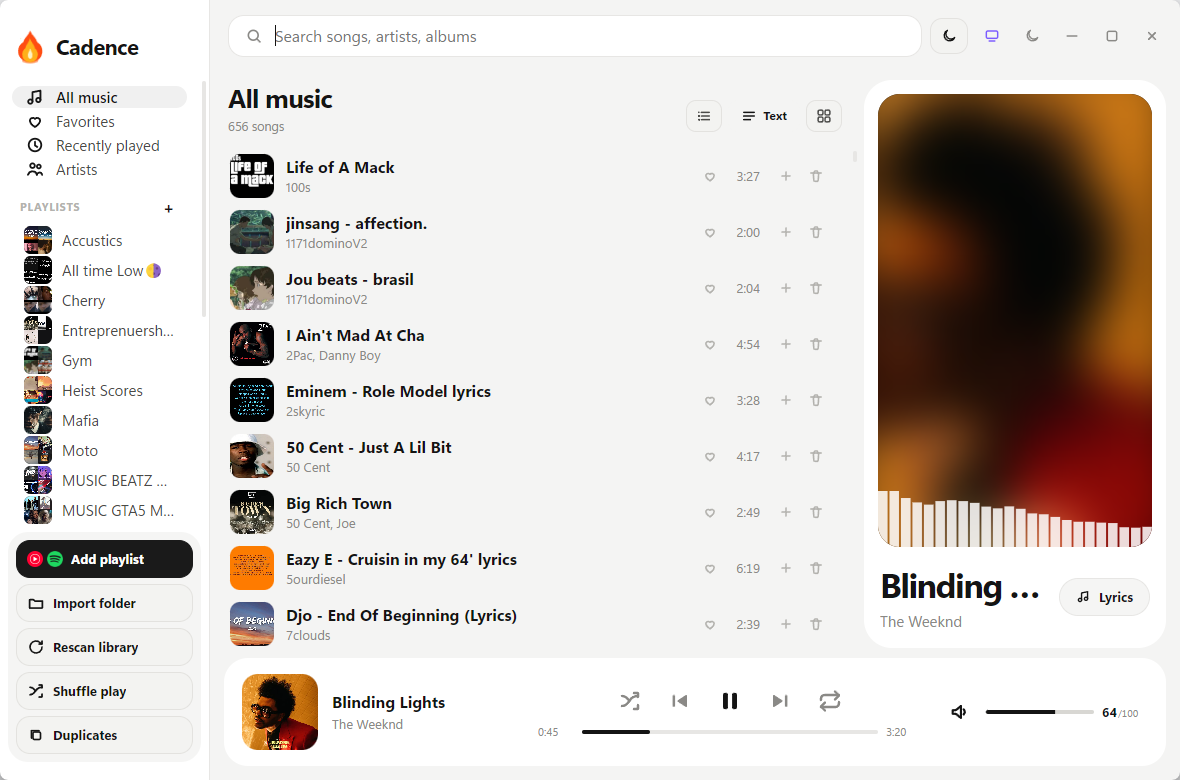
 LibraryAll music, favorites, recently played, and artists from the folders on this PC.
 PlaylistsCovers in the sidebar. Press and hold a playlist to drag it. The X hides a folder or deletes a list you made. Songs stay on this PC.
 ViewsList, gallery, or text. Gallery tools stay hidden until you hover a cover.
 LyricsOpen lyrics over the cover of the song you are playing.
 PlayerPlay, skip, shuffle, and repeat. Shuffle keeps the rest of the queue.
 DockPin a small player to the edge of the screen and keep working.
 DuplicatesGroup copies in the same playlist or by the same artist.
 Bring songs inPaste a YouTube Music or Spotify playlist. Cadence saves each song.